Run the whole show
from one pair of hands.
sho.run puts your lights, visuals, and audio on a single app — so a volunteer, a student, or you behind the bar can run the room. No lighting desk, no 800-page manual, no crew of engineers.
Free beta on iPad, Mac, and Android tablet. Lights shipping now — visuals & audio in active beta.
So easy, your abuela could use it.
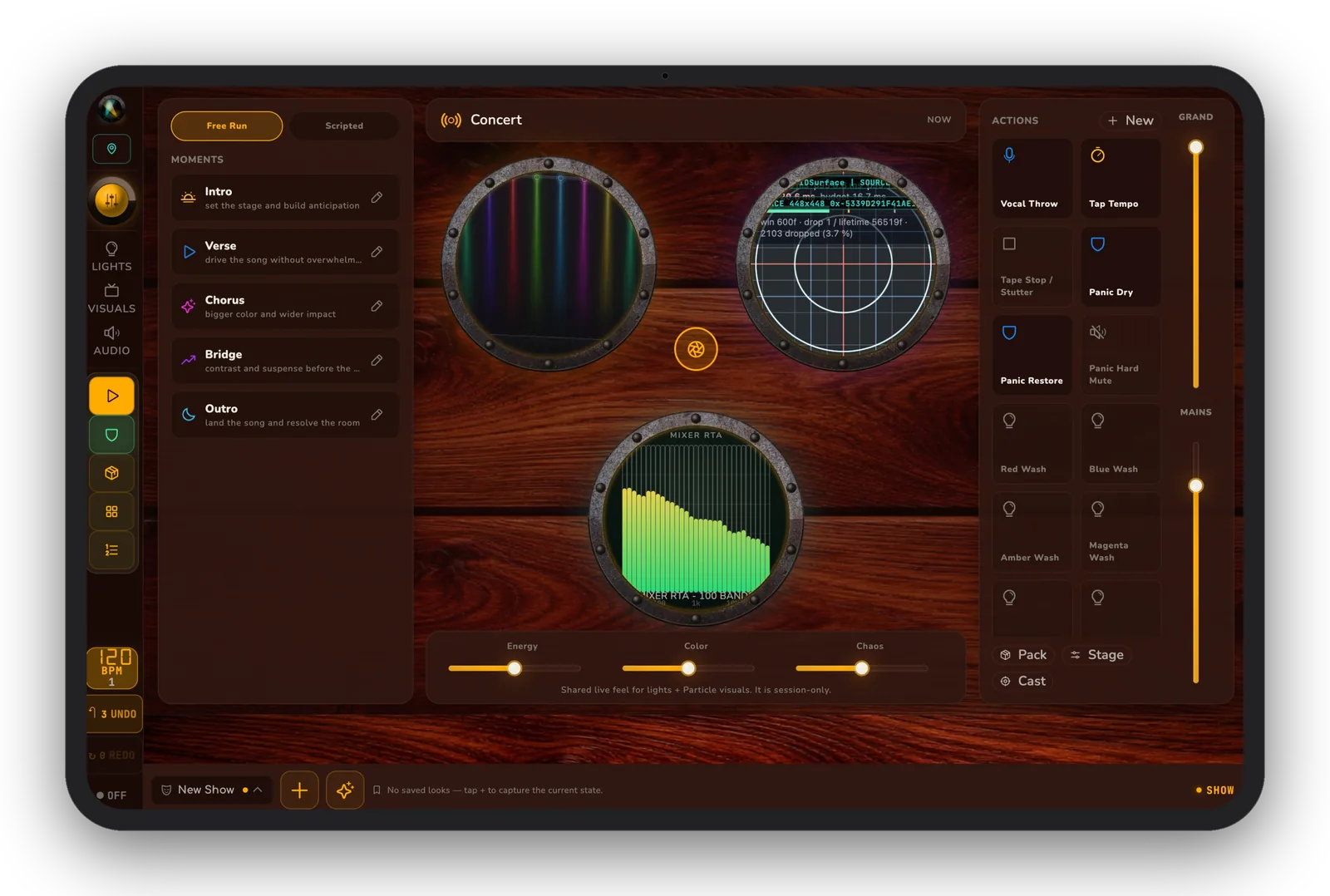
Press one button. The wash fades to amber, the projector wall shifts to “Warm Wood,” and the house music ducks under the mic — one cue list, one person.
Lights
Patch DMX & smart fixtures, build looks, and fire cues over Art-Net, sACN, and USB DMX (beta) — no lighting desk required.
Visuals
A multi-engine visual lab — shaders, Milkdrop, particles, and audio-reactive patterns — sent to TVs or projectors, cued alongside your lights. Add logos and sticker overlays for artist name, venue, the happy newly-married couple, or anything you like.
Audio
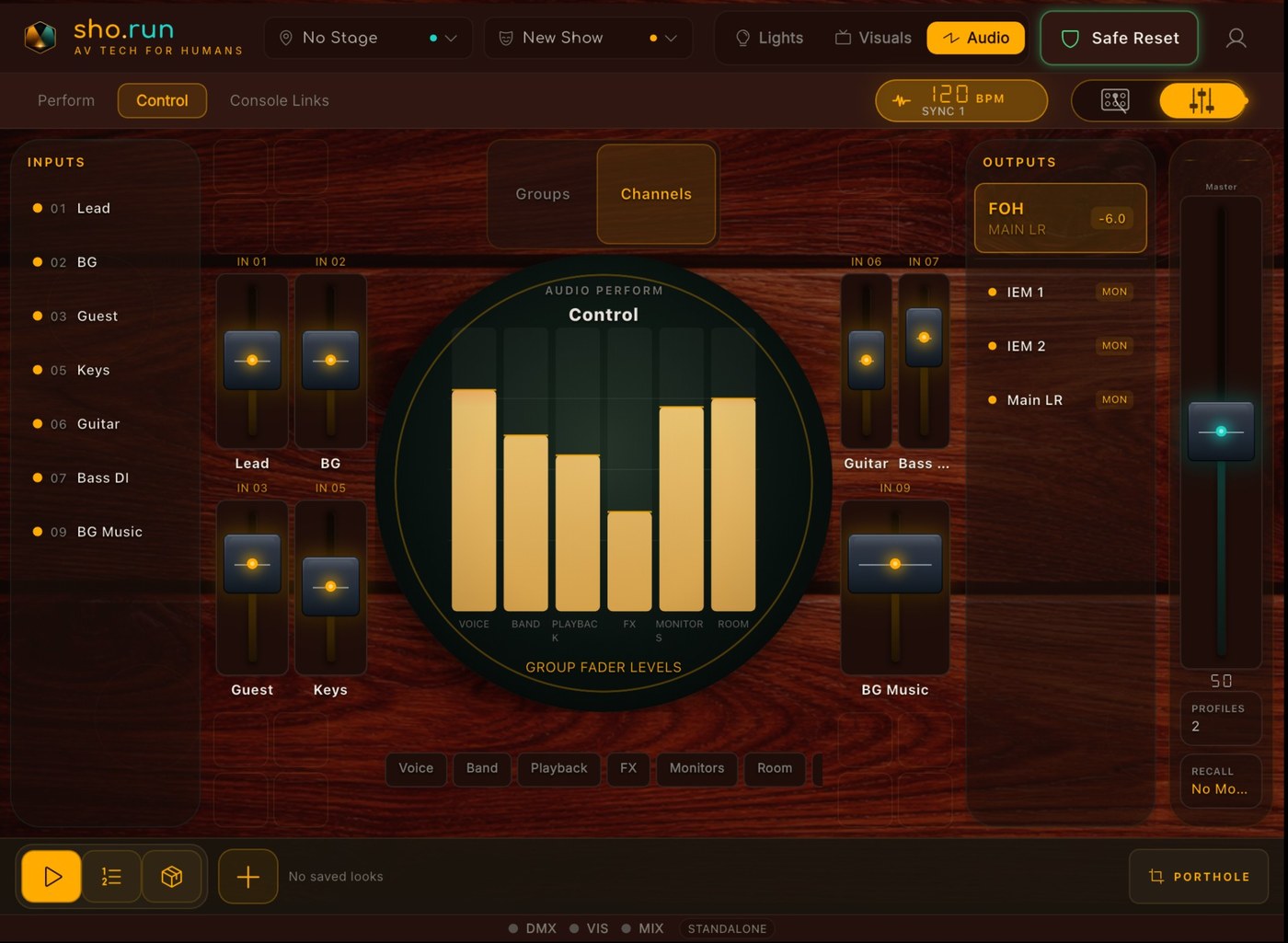
Speak to the digital mixer already in your booth — recall scenes, duck the music, keep mics in line, all from the same cue list. Make it seriously simple to put the house music back on.
Built for humans, not engineers.
The $10,000 consoles assume you trained for years. sho.run gives you the same toolkit with a friendly face — warm wood panels, real knobs and faders, and plain-English looks you can fire with one tap. Built for volunteers, students, and aspirational theater geeks.
- 20-minute guided setup wizard — not an 800-page manual
- Plain-English one-tap buttons to do cool things
- Undo when a helper does something brave
- Fast buttons for freezing a scene or getting back to a safe spot
Build once, cue once, run the room.
1 · Build the stage
Patch fixtures, projectors, and your mixer once for the room. It lives in your .stage file.
2 · Write the show
Save looks, scenes, timings, and notes into one unified cue list — your .sho file.
3 · Press one button
Advance lights, visuals, and audio together when the moment lands. Or set it to fire on the clock.
Made for your kind of show.
Pick your world and see how sho.run runs your night.
Small venues & bars
You don't need a booth or a crew. Pour drinks and run the show from one tablet.
See howMobile & club DJs
Lights, uplighting, TV screens, and the mixer follow your set — hands stay on the music.
See howDIY & warehouse shows
Par cans, a projector, and the DJ's mixer — punching way above the rig's weight.
See howCommunity theater
Wash, projection, and sound fire together — even when student techs run the board.
See howHouse of worship
Wall-clock cues and Showtime lock let volunteers run service with confidence. Switch from praise band to pastor with ease.
See howiPad lighting-app users
Keep the tap-a-color simplicity — add real cues, audio, and visuals.
See howQuestions, answered.
One app for DMX / Smart lights AND visuals AND audio?
Yes — one cue list, one show file, one operator. Lights fire over Art-Net / sACN / USB DMX (beta). Visuals run in the visual lab and out to projectors from a Mac host. Audio fires through your mixer's driver. Lights are shipping now; visuals and audio are rolling out during the beta.
Does it work without internet?
Showtime control is local. Art-Net, sACN, mixer OSC, tablet-to-Mac control, and projector output all run on your LAN. Sign-in does require you to re-connect to the internet every 30 days.
What platforms are supported?
iPad, Android tablets, and Mac. Tablets are the operator surface; the Mac host drives projector and TV output. Phone form factor isn't supported by design — a show surface needs room to breathe. Windows is on our roadmap, but isn't part of our open beta.
Why did you make this?
Because we run our own 75-person music venue in Colorado, and there have been times where just one person had to do everything in the room, from selling beers to running the lights to mixing the front-of-house. As a non-profit, we depend on volunteers to fill in the gaps. It's been a blessing to hand a volunteer an iPad and let them go nuts with the aesthetics of our venue. We realized we weren't the only ones with this specific need, so we started adding more features to the software to cover more situations, from DIY venues to houses of worship to wedding DJ's.
What will I need to set this up?
Great question. You'll need: A supported tablet, an internet connection, and a working knowledge of how things already are set up on your venue or DJ rig. This includes, at the bare minimum, the DMX addresses of your light fixtures and how many channels they need. We included a smattering of "generic" fixtures for stage setup just in case you need a little help along the way. Visuals and Audio are coming soon, and we'll update this area as well as our support page when more features come online.
What if my tablet crashes mid-show?
Auto-recovery snapshots every 30 seconds, and backup-on-save copies your prior file before every overwrite. A full event log captures everything for support.
Will my show file still work next year?
Yes. The show file uses an adaptive file format with version migration, so old files keep opening.
Stream Deck or Companion?
Y'all love your buttons and knobs! We do have some of the plumbing in place through REST, but it's something we'll work on more during the beta.
Ready to run your next show?
The beta is free while we test. Grab it for your platform. Just note that there will be bugs.
Join the community on Discord